What desecration is
The Well of Souls(unlocked in Act 2's Lightless Passage) lets you inscribe a Rare item with a Desecrated modifier. You imbue the item with an Abyssal Bone, which adds a blank desecrated mod; then the Well reveals three options and you choose one to keep. That choice is the whole point — most crafting is pure RNG, but desecration hands you a small, powerful pool to pick from.
A common myth: desecrating does notlock the item like corruption does. Normal currency (Exalt, Chaos, Annul, Divine) still works afterward — the only thing you can't do again is desecrate it (Abyssal currency is one-time per item). And the desecrated mod is not protected: a stray Chaos or Annulment can remove it. To keep it safe, lock it with a Fracturing Orb, or use an Omen of Light so your next Annulment removes only the desecrated mod.
Bones — the desecration currency
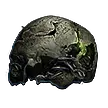
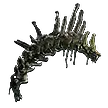
Abyssal Bones drop from Abyss encounters (the writhing cracks that open into the ground). The tier sets which items you can desecrate; the type sets which slot:
Tiers
- Gnawed
- Desecrates Rare items up to item level 64 — campaign / early maps.
- Preserved
- Desecrates Rare items of any item level — the endgame workhorse.
- Ancient
- Guarantees a minimum modifier level (≈40) — targets higher-tier outcomes.
Types
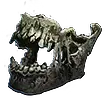
- Jawbone — Weapons & quivers
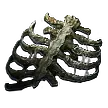
- Rib — Armour
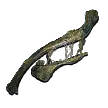
- Collarbone — Jewellery & belts
- Cranium — Jewels (Preserved)
- Vertebrae — Waystones (Preserved)
The desecration flow
- Take a Rare item with at least one open affix slot (finish your normal crafting first).
- Imbue it with the matching Bone (right tier for its item level, right type for its slot). This adds a blank Desecrated modifier.
- At the Well of Souls, the blank mod resolves into a choice of three — pick the one you want.
- Repeat on the other slot if you want a second desecrated mod.
Try it live in the crafting simulator — the "Well of Souls" action runs this exact three-choice flow on a virtual item.
The three Lich families
Desecrated mods come from three Abyssal Lich families. Which one a mod belongs to hints at its flavour, and some Omens let you force a specific family:
Ulaman
Lightning & Physical

Kurgal
Cold & Mana

Amanamu
Fire & Chaos
Steering it with Omens
Omens of the Abyss bend the reveal in your favour — reroll the three on offer, force a prefix or suffix, force a family, or scrub an unwanted result:
- Omen of Abyssal Echoes
- Reroll the three modifiers the Well offers you.
- Omen of Sinistral Necromancy
- The revealed modifier is guaranteed to be a Prefix.
- Omen of Dextral Necromancy
- The revealed modifier is guaranteed to be a Suffix.
- Omen of the Blackblooded
- Force a random Kurgal (Cold/Mana) modifier — Weapon or Jewellery only.
- Omen of the Sovereign
- Force a random Ulaman (Lightning/Physical) modifier — Weapon or Jewellery only.
- Omen of the Liege
- Force a random Amanamu (Fire/Chaos) modifier — Weapon or Jewellery only.
- Omen of Light
- Your next Orb of Annulment removes only a Desecrated modifier (targeted, instead of a random mod).
Locking a roll with a Fracturing Orb
A Fracturing Orb permanently locks one random modifier on a Rare with 4+ mods(it turns gold and can't be removed by Chaos, Annulment or Divine). The classic combo: build the mods you care about, fracture to protect the best one, then keep crafting — including desecration — without risking it. Because the locked mod is chosen at random, line up the rolls you want before you fracture.
Practise it
The simulator models Fracturing Orbs and the Well of Souls three-choice on real bases, so you can rehearse the whole sequence before spending anything in-game.
Desecrated modifier examples in our simulator are a representative sample — the live pool is far larger.